

AI for work presentations

On-brand business presentations with AI 10× faster

Type a topic or attach a file: Luma asks 2–3 questions and builds slides in your company's colors, fonts and logo. Download the PPTX and edit it in PowerPoint.

From topic to finished file in five steps

  1. 1

    Topic or file

    Describe the task or attach an Excel sheet. Luma removes columns with names, phone numbers and emails on its own.

    Luma task field: “Q3 sales results for the board”, a paperclip for a file and a slide count picker
  2. 2

    Clarifying questions

    Luma asks what's missing: who the audience is and what matters most. You can skip any question.

    Luma asks “Who will see the presentation?” with answer options
  3. 3

    A ready-made style or your company's

    Pick a ready-made style or upload your own deck: Luma takes its colors, fonts and logo.
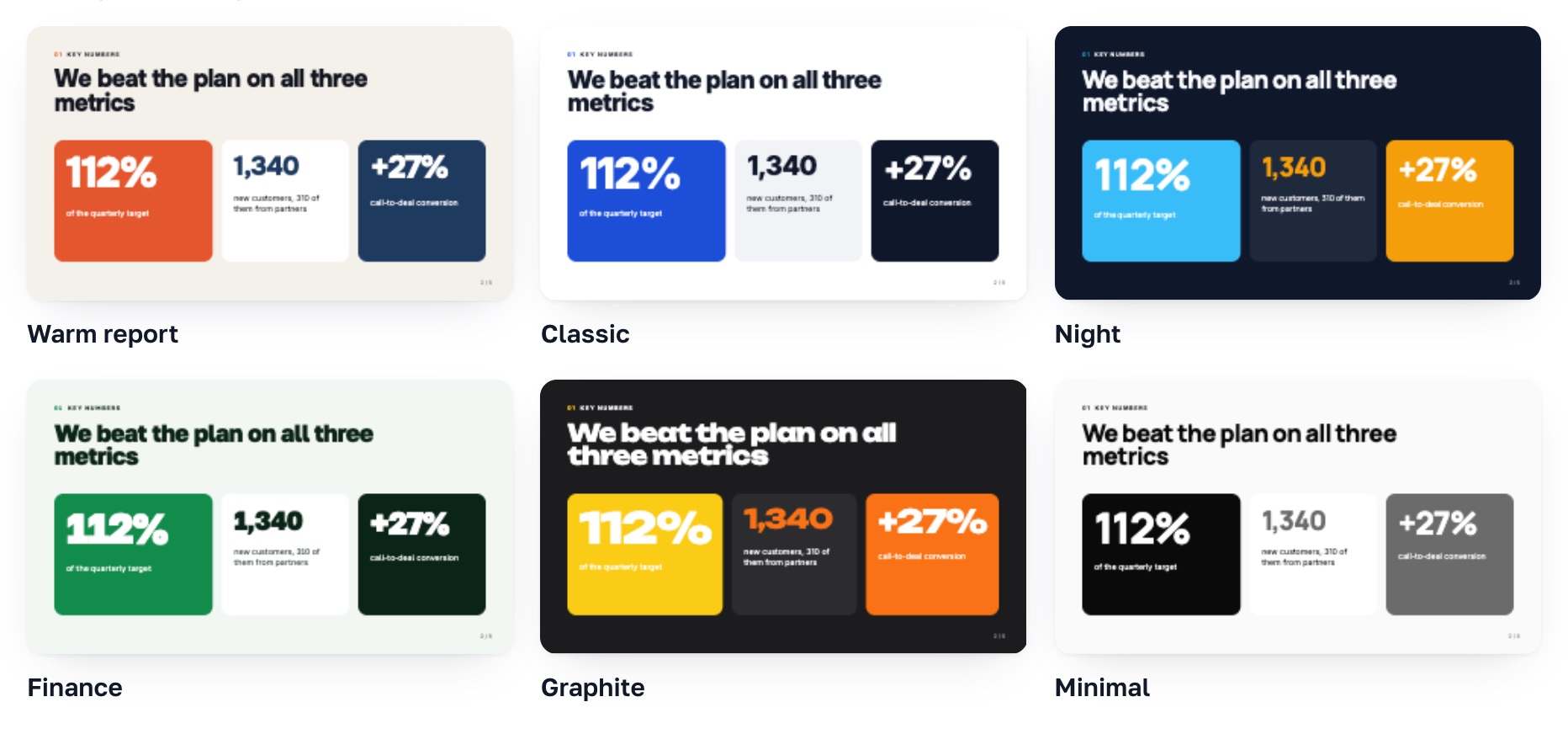
    Style picker: six ready-made styles with slide previews
  4. 4

    An outline you can edit

    Change titles, points and slide types before any slides are made.
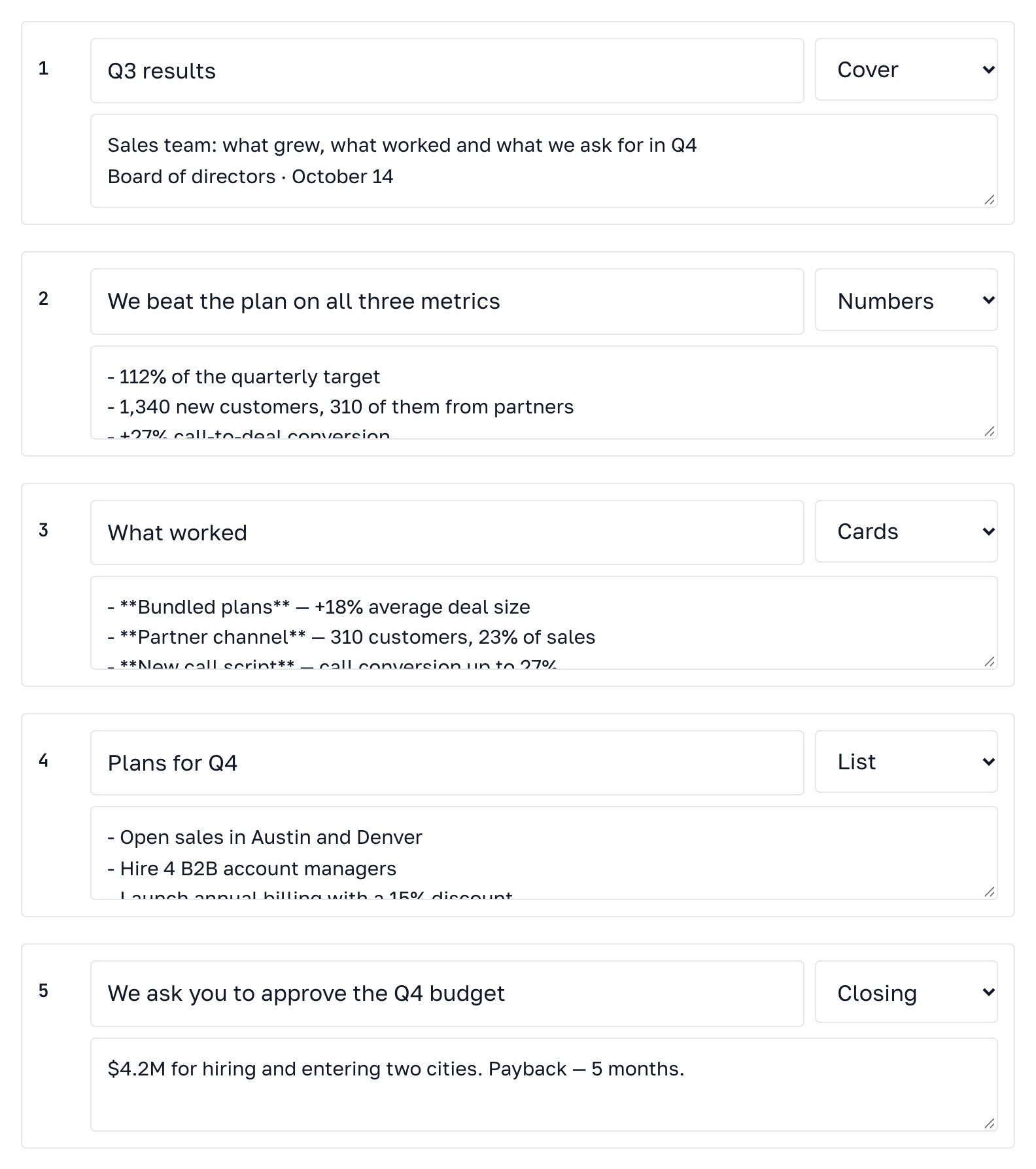
    Presentation outline: five slides with titles and the type of each slide
  5. 5

    Slides and PPTX

    Every slide is checked for overflowing text. Download the PPTX and edit it in PowerPoint.

    Finished “Q3 results” slide and the Download PPTX button

Templates for any task

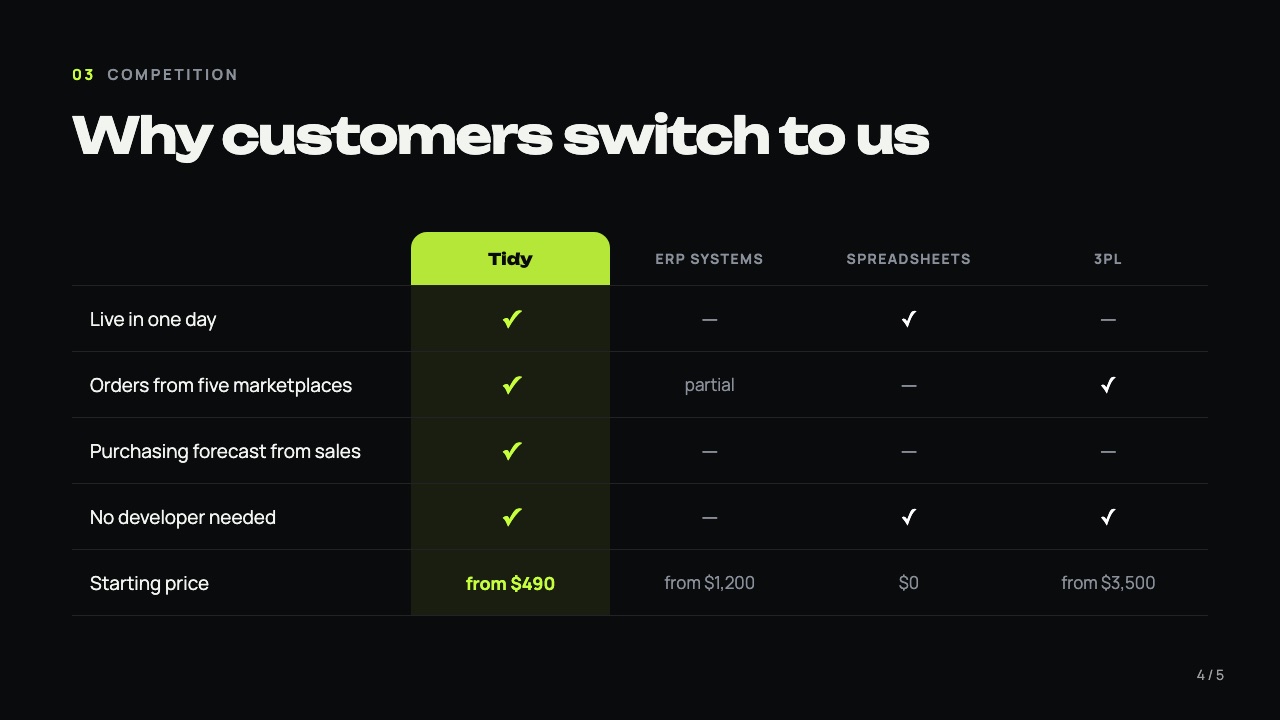
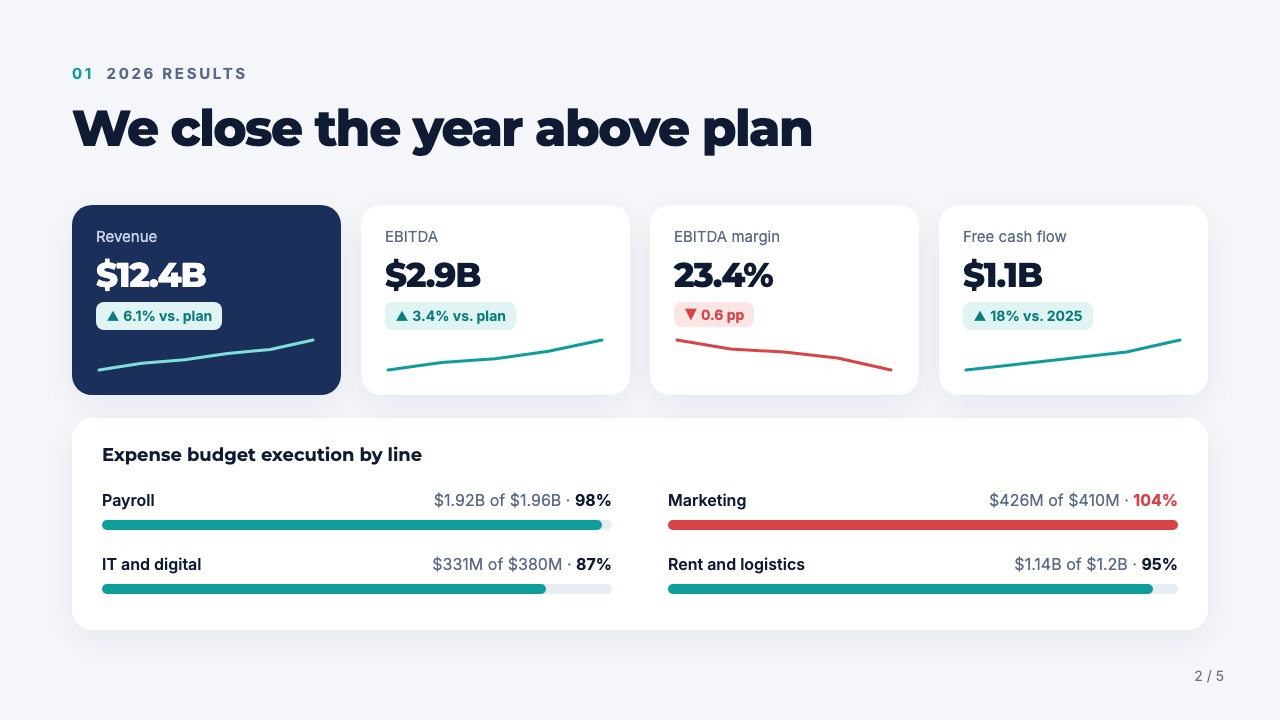
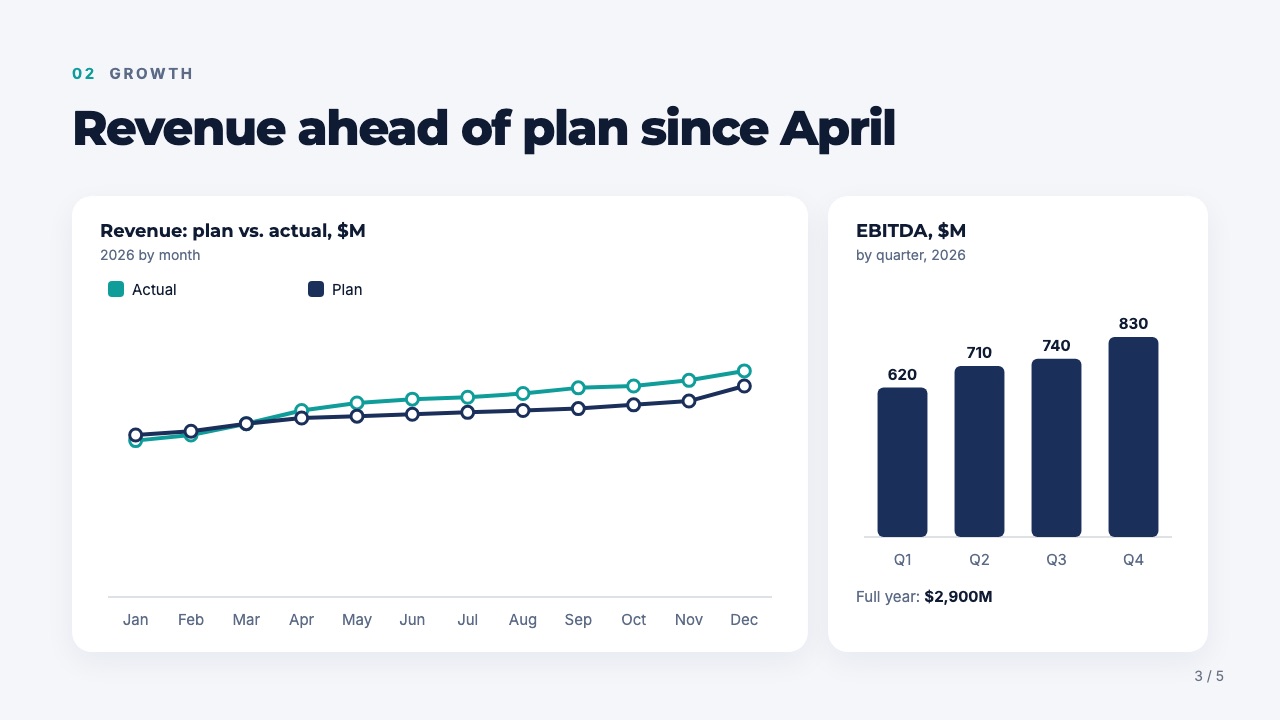
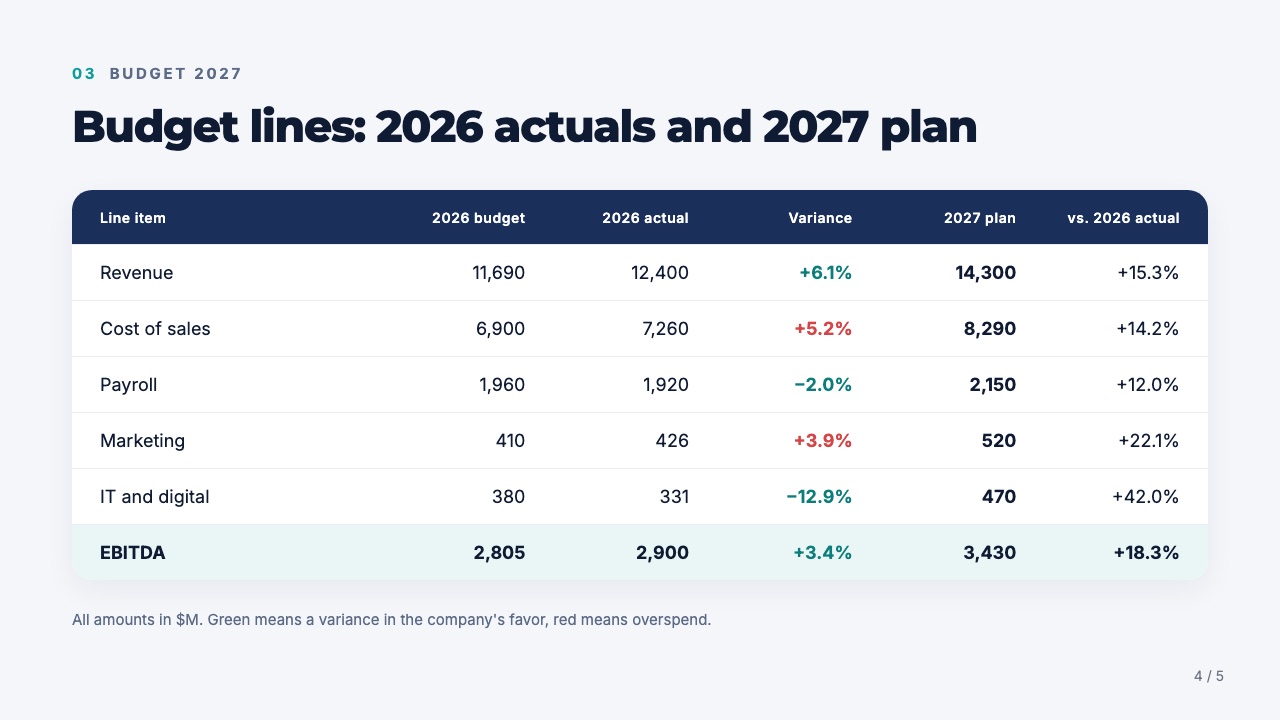
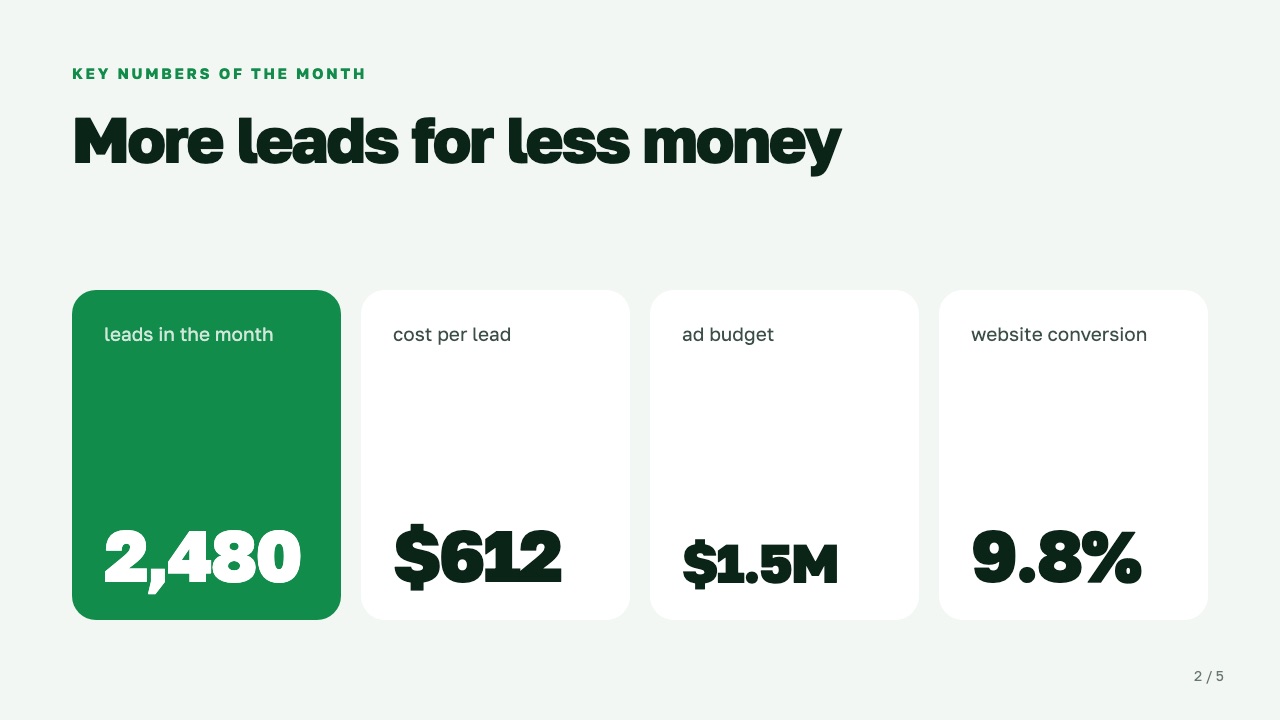
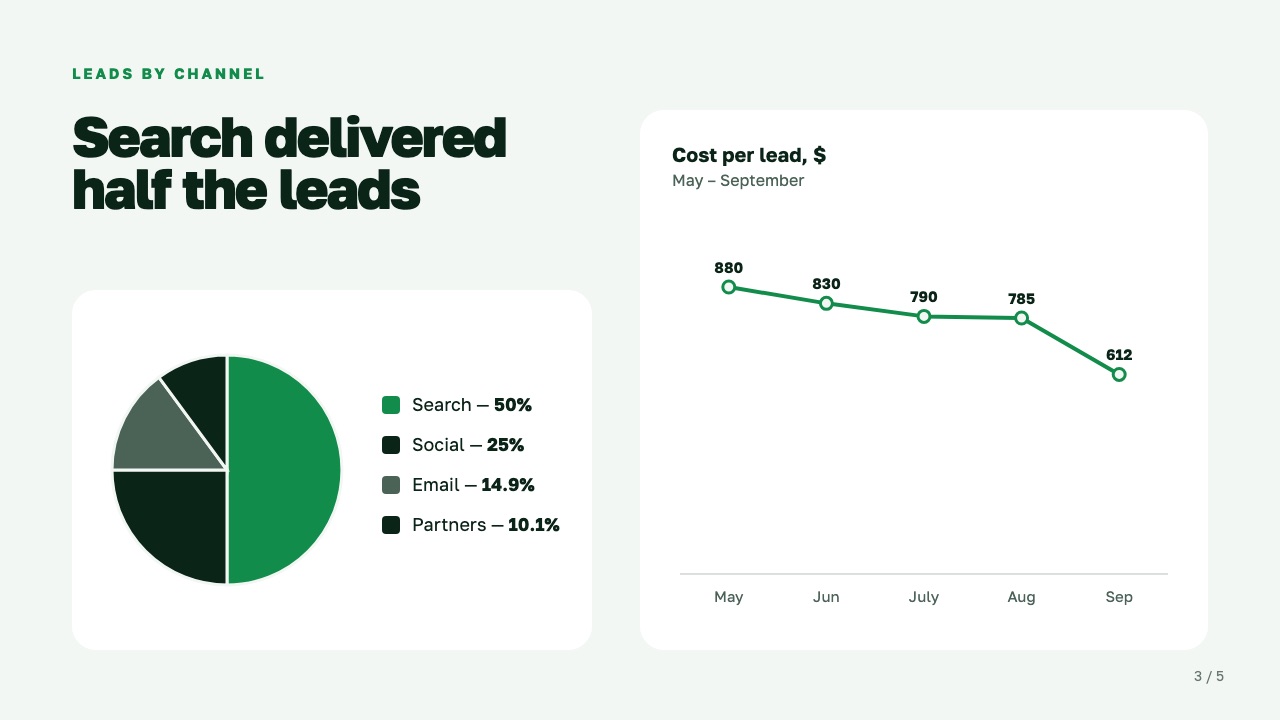
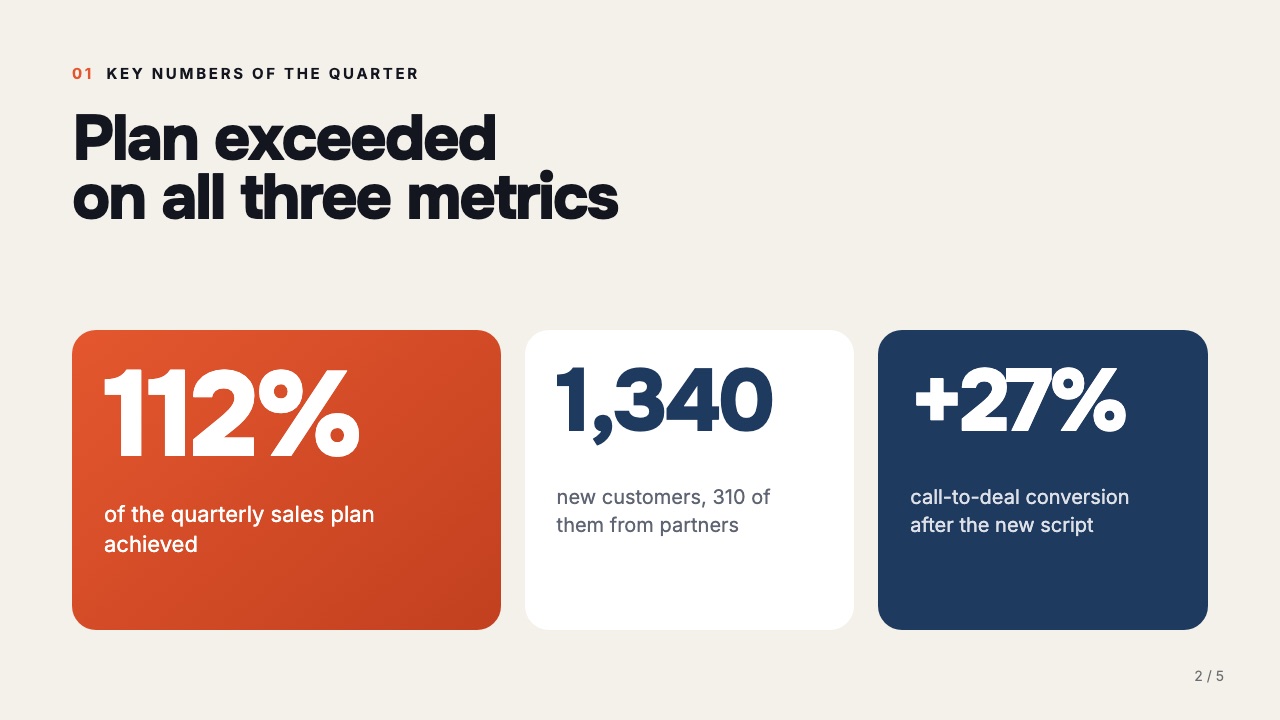
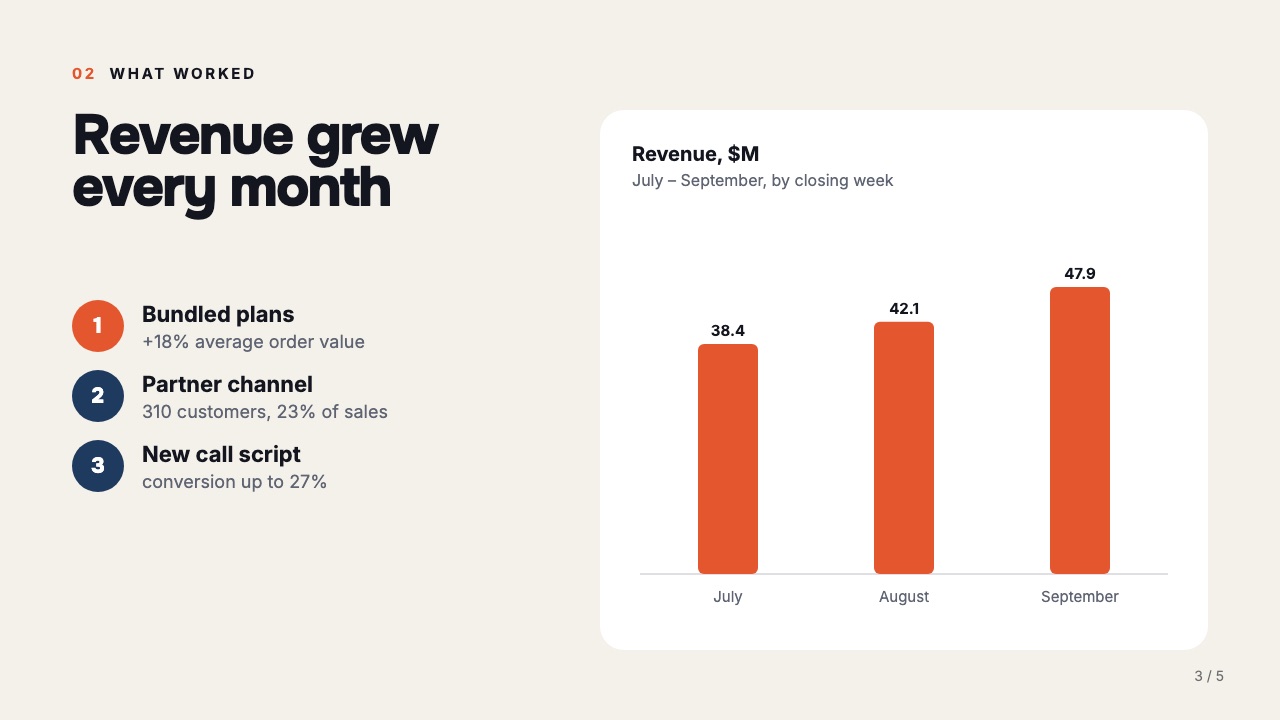
Ready-made presentations Luma builds from your topic and data. Click a slide to see it up close, or make a presentation from a template.

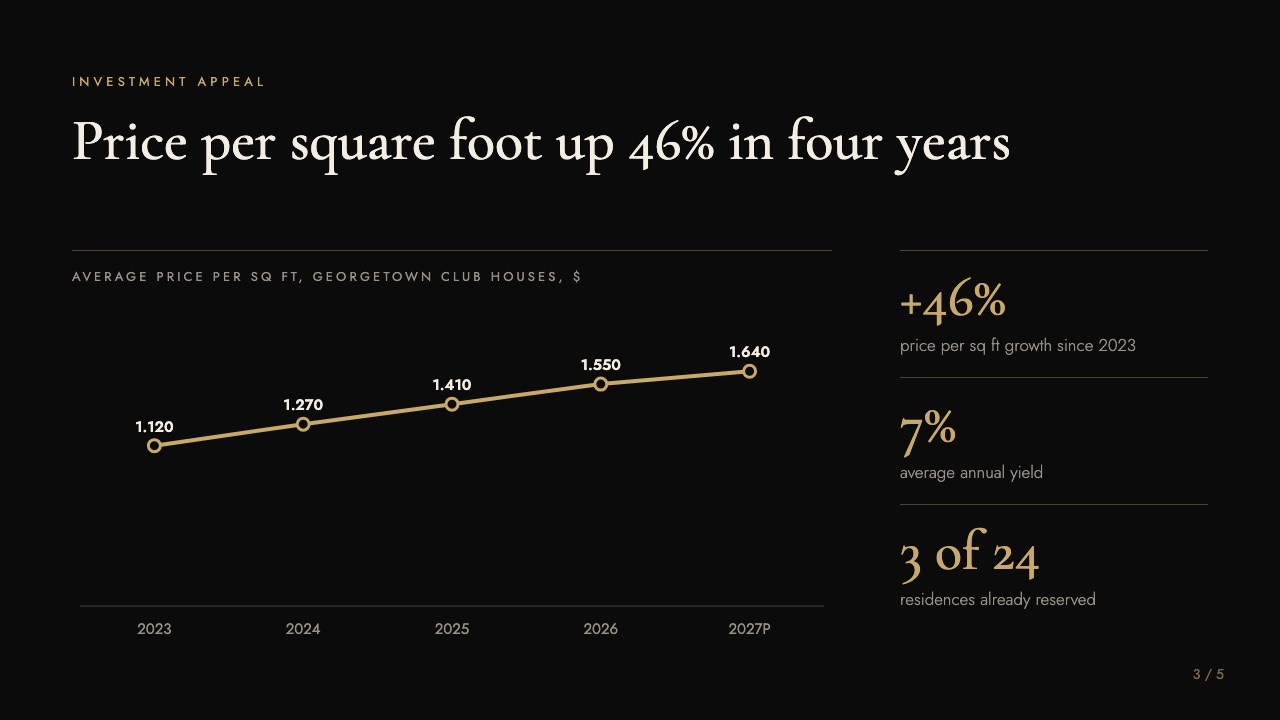
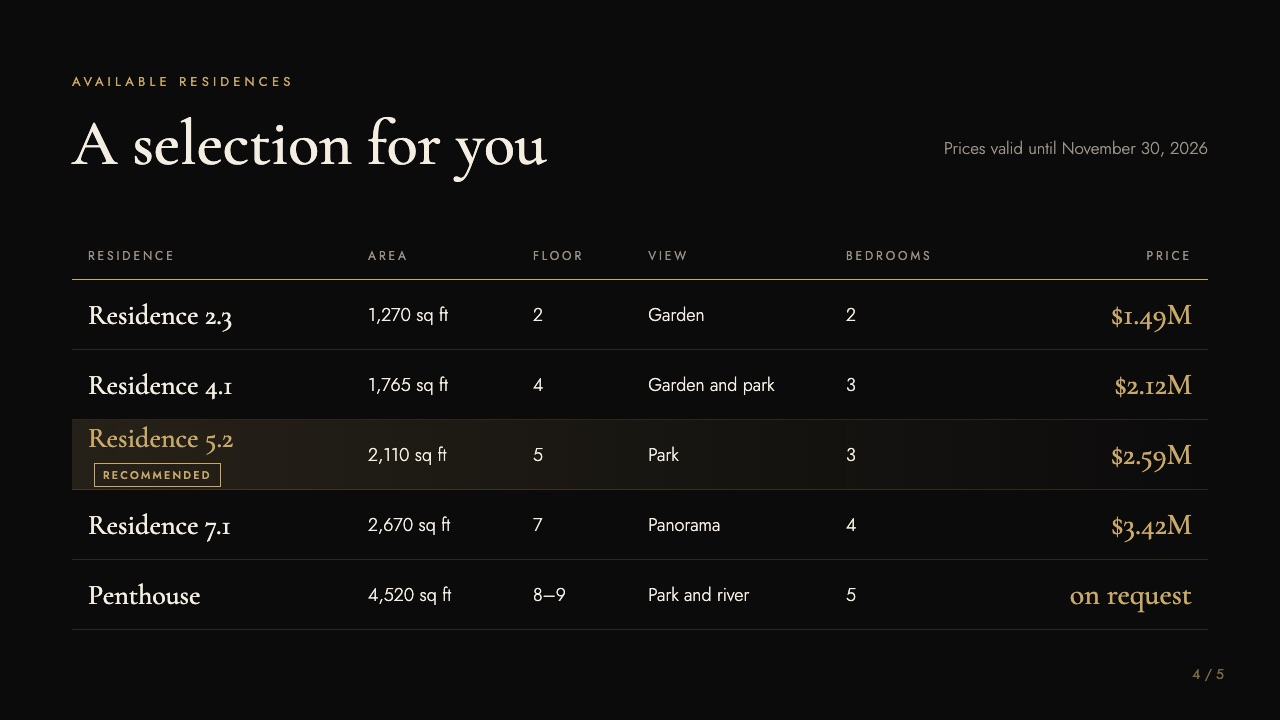
Cover: Moon Garden: proposalPro
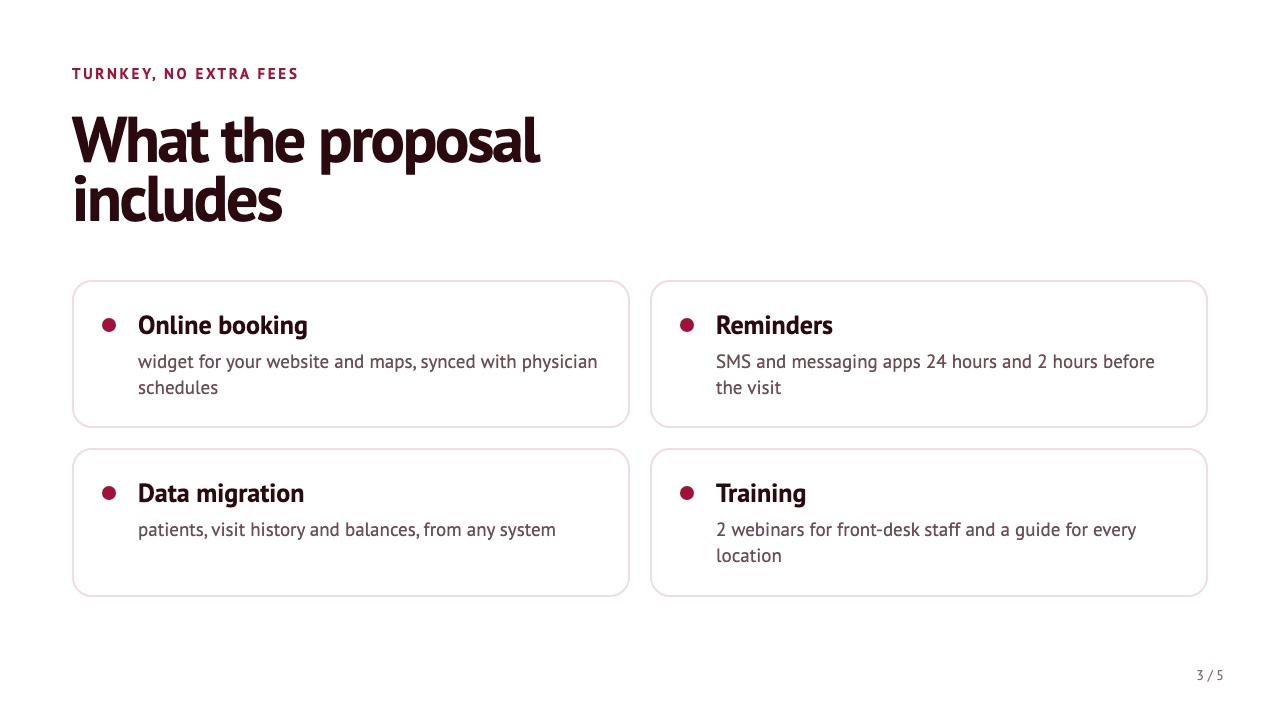
Slide 2: Quiet in the heart of the citySlide 3: Price per square foot up 46% in four yearsSlide 4: A selection for youSlide 5: Join us for a private viewing

Proposal for a premium client

5 slides · For the sales team · “Luxe” style

Use this template →
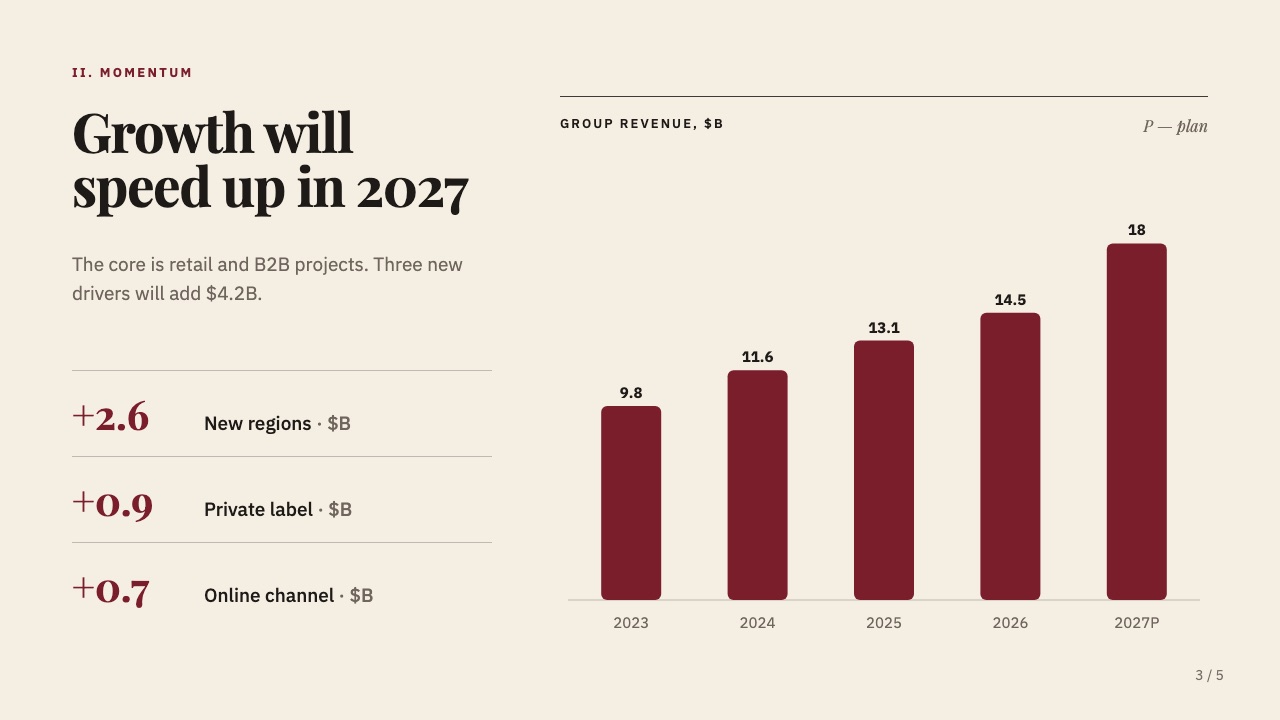
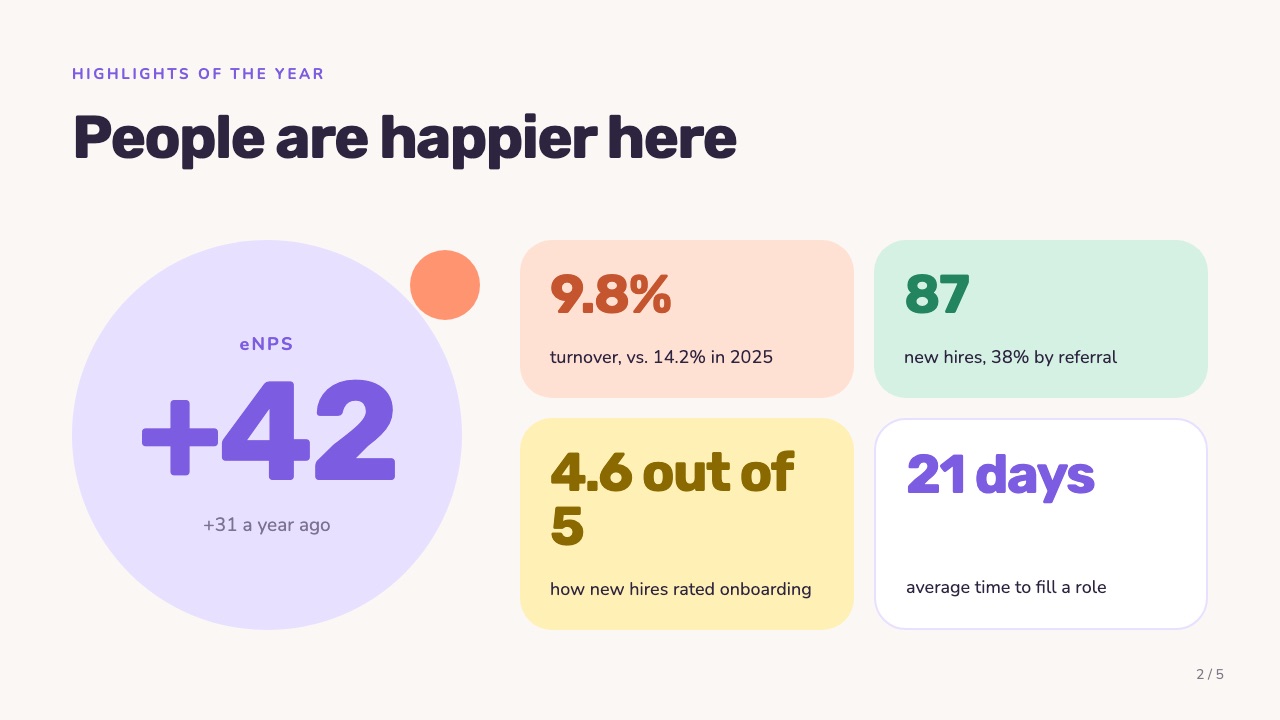
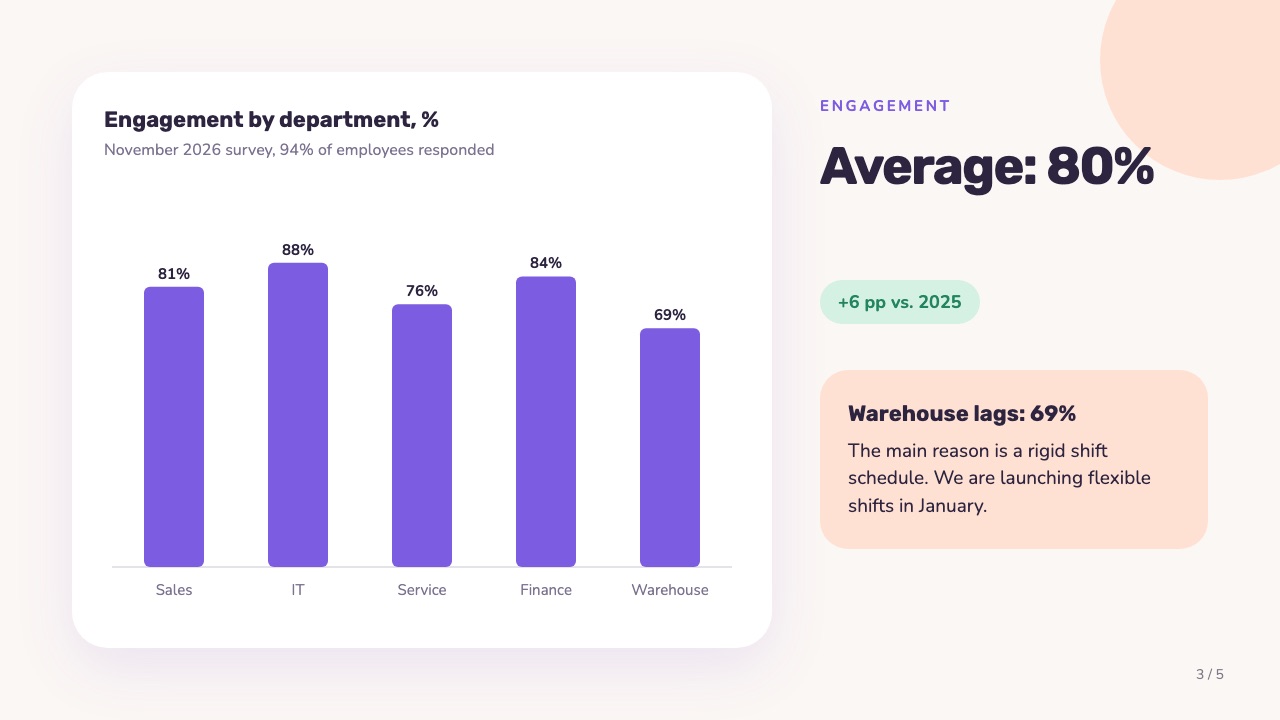
Cover: Team and culture: year in reviewPro
Slide 2: People are happier hereSlide 3: Engagement averages 80%Slide 4: Four changes everyone noticedSlide 5: What's next

Year in review: team and culture

5 slides · For the HR director · “Pastel” style

Use this template →
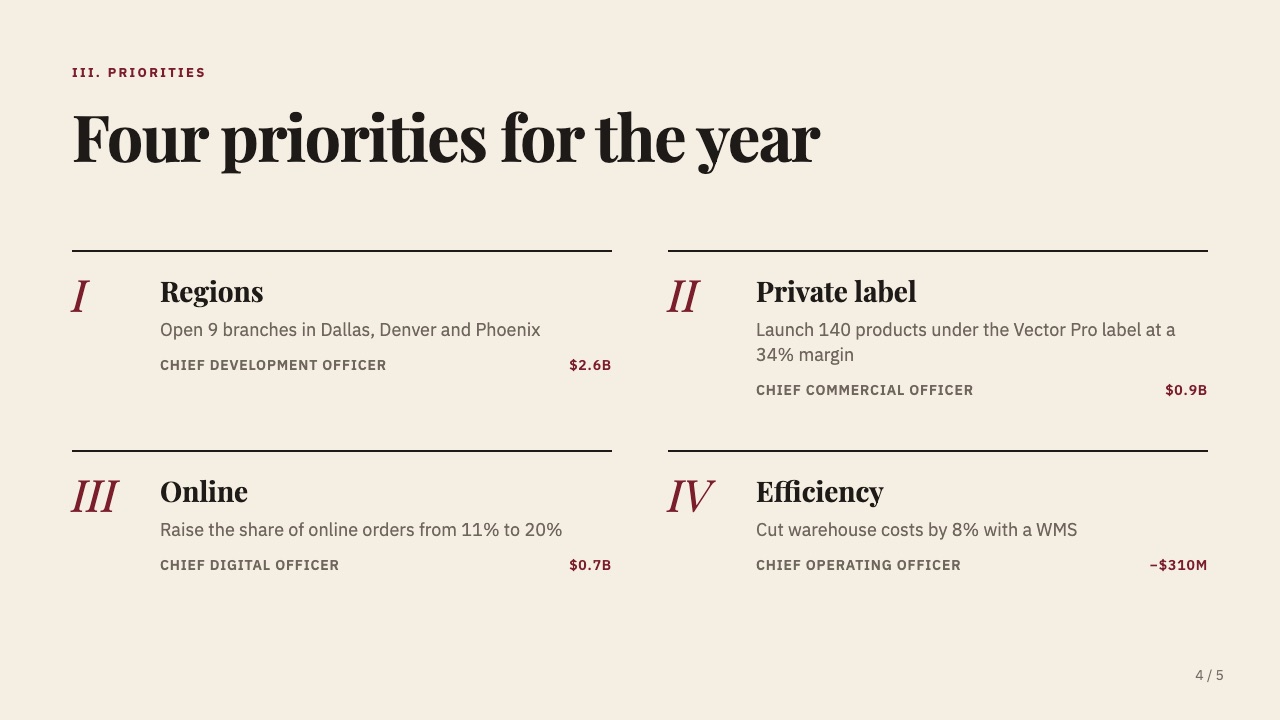
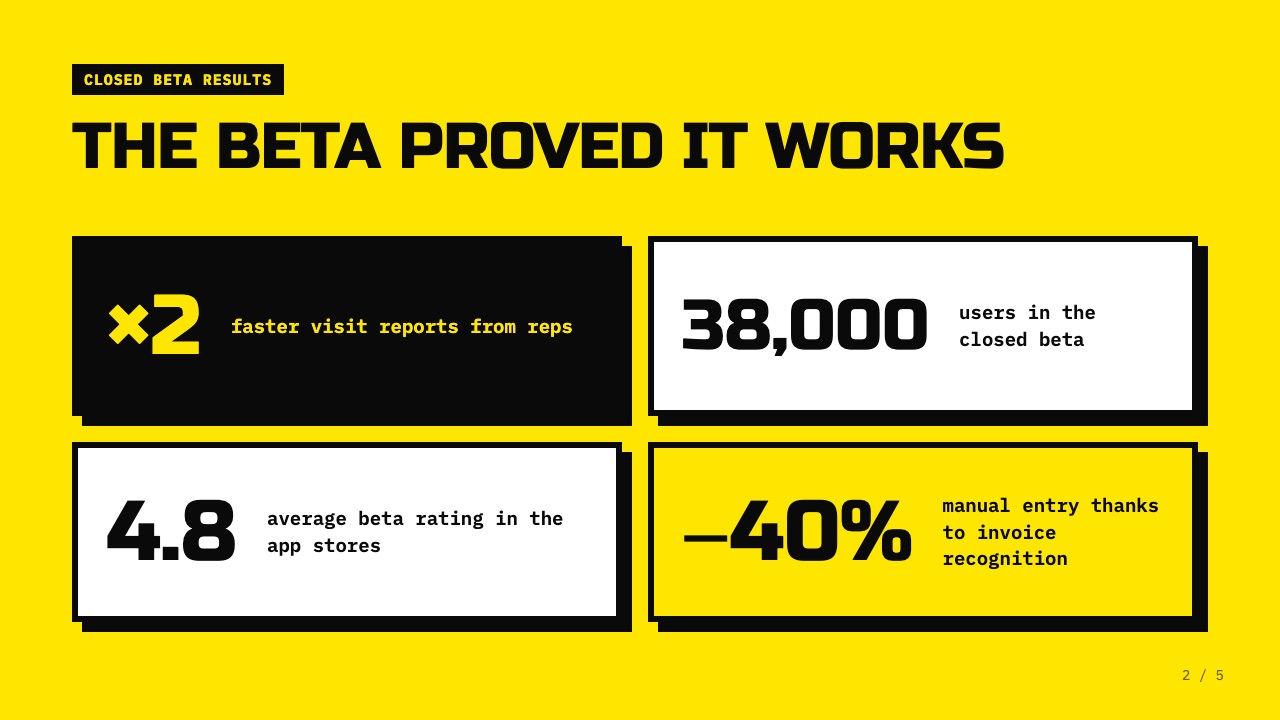
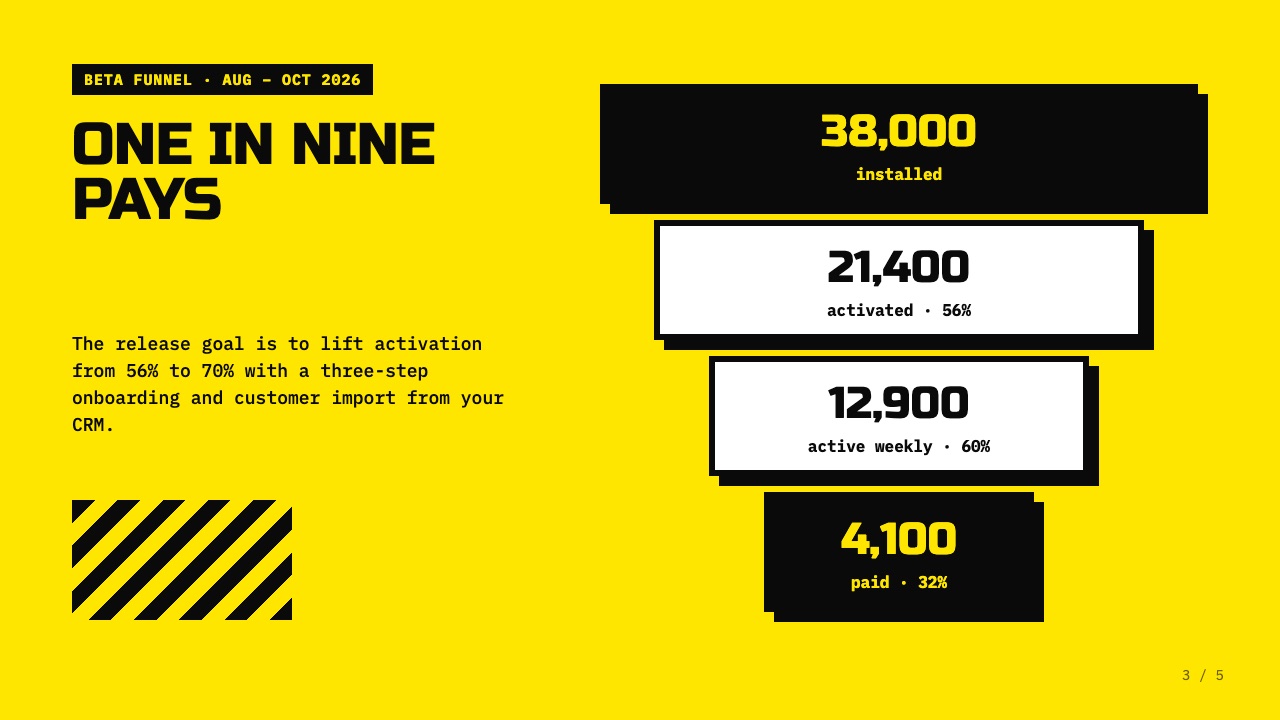
Cover: Pulse 2.0: product launchPro
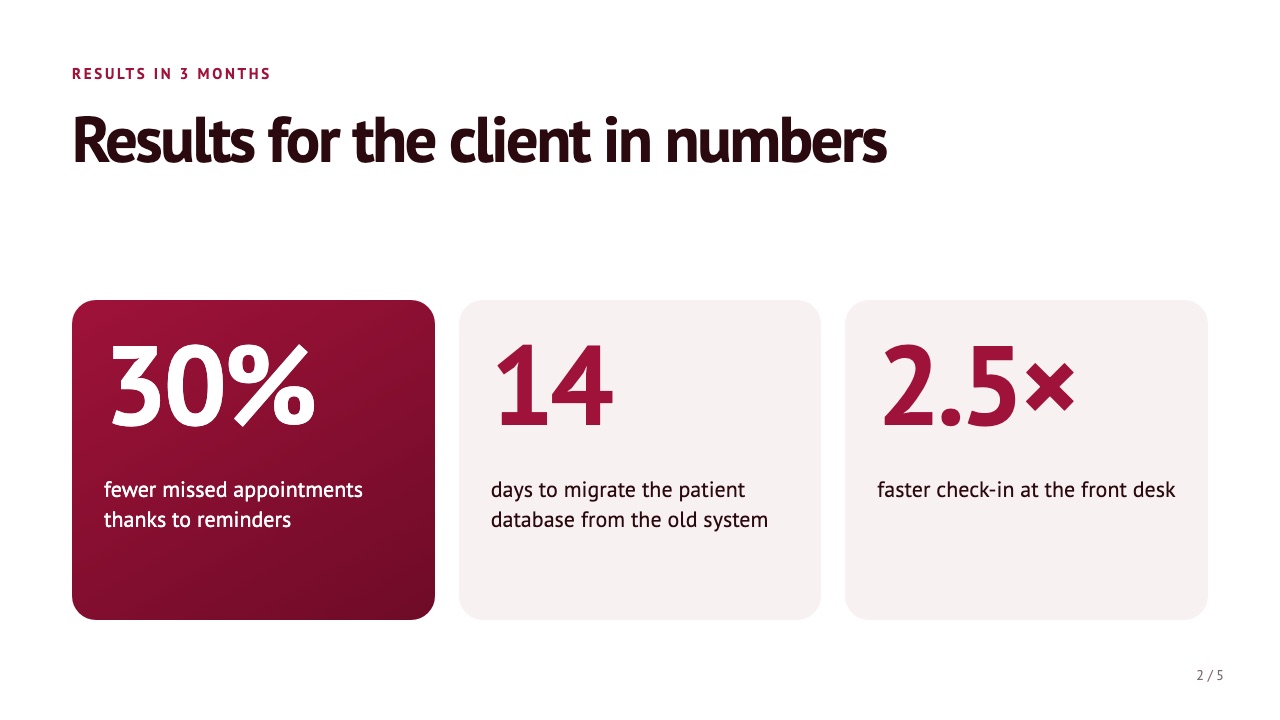
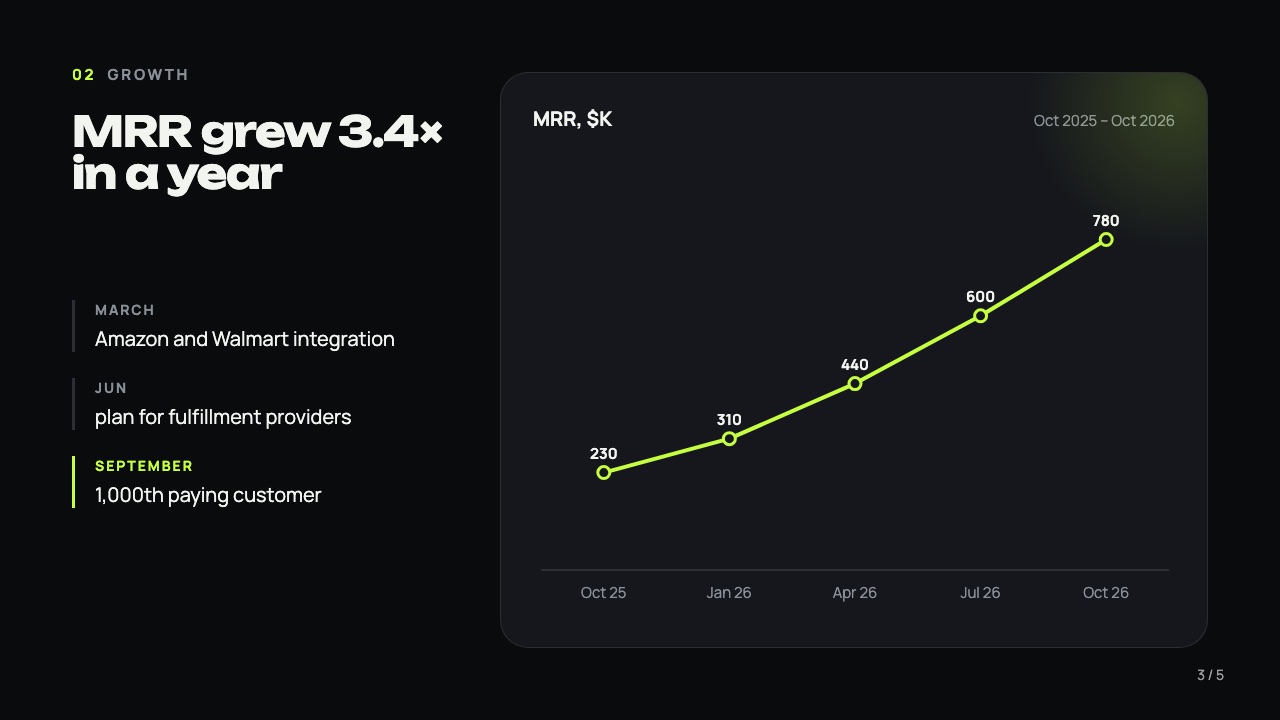
Slide 2: The beta proved it worksSlide 3: One in nine paysSlide 4: Five steps to releaseSlide 5: Let's go

Product launch: roadmap

5 slides · For product teams · “Brutalist” style

Use this template →
Cover: Course: handling objectionsPro
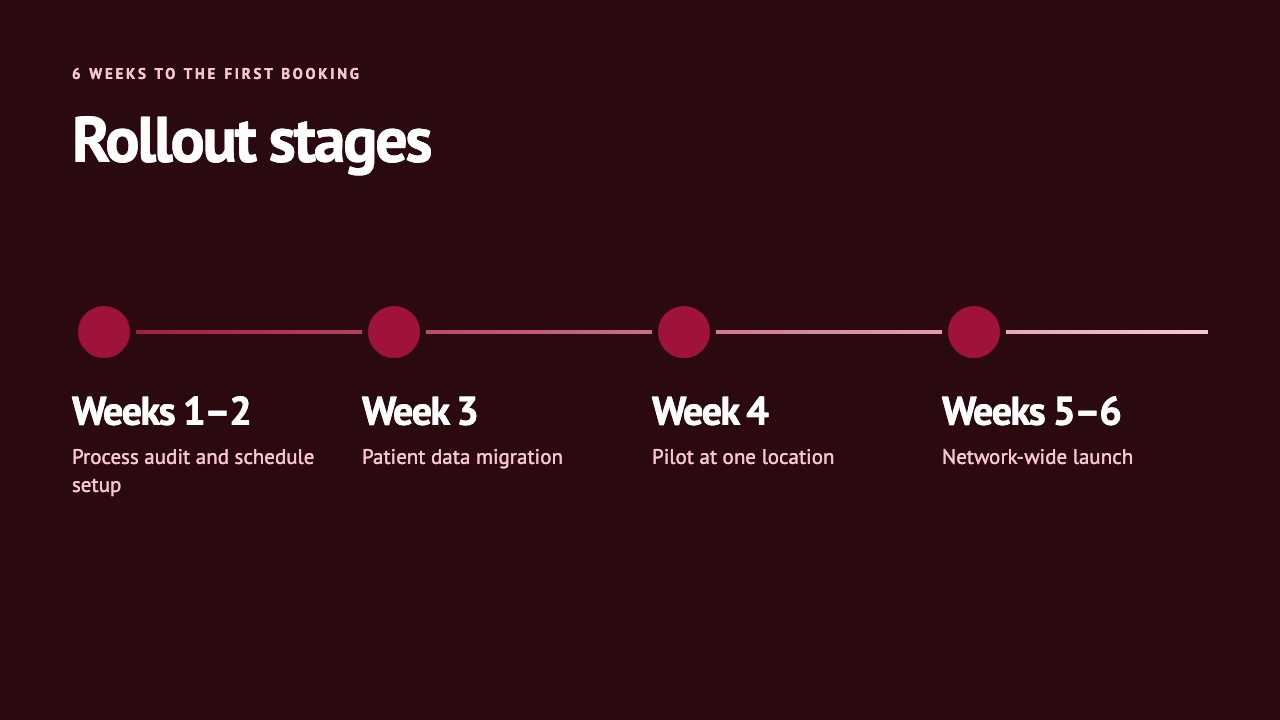
Slide 2: Results of past cohortsSlide 3: Four steps, 25 minutes eachSlide 4: 6 modules in 3 weeksSlide 5: Test yourself

Employee training course

5 slides · For staff training · “Academy” style

Use this template →

Don't see your task? Describe it in the chat — Luma will pick the structure and style.

Discover what Luma can do

Luma checks every slide before you see it.

Text never spills over the edge

If the text doesn't fit, Luma redoes the slide instead of cutting it off.

Quarterly results for the sales team and the partner channel

Revenue grew 18% thanks to bundled plans and a new call script, and the partner channel brought in 310 customers, which let us hit 112% of the plan and lay the groundwork for

What often happens
Quarterly results: sales team

Revenue +18% from bundled plans. Partners brought 310 customers. Plan hit at 112%.

With Luma

Numbers straight from your file

Revenue, percentages and tables come over as they are. Numbers that aren't in the file are flagged.

metricQ3
New customers1,340
Plan achieved112%
Average deal+18%
112%of the quarterly plan

A real PPTX

Text and shapes are editable objects, not a picture.

Cover of the “Q3 results” report

Redo just one slide

Don't like a slide? Regenerate only that one — the rest stay as they are.

11 slide types

Cover, numbers, cards, timeline, comparison, quote, charts and diagrams — Luma mixes them on its own.

Personal data stays out

Before a spreadsheet leaves your browser, Luma removes columns with names, phone numbers and emails. The AI never sees them.

Dollars, pounds and dates done right

US, UK, Canadian and Australian currencies, thousands separators and dates in the format your audience expects — nothing to fix by hand.

What sets us apart

Common complaint in reviewsWith Luma
Charts turn into flat pictures in PowerPoint
Editable PPTX: text, shapes and charts you can change
Numbers on slides don't match the source data
Numbers come from your file; anything else is flagged for you to check
The free plan only lets you look, not download
Download your first presentation for free
Slides look generic, not like your company
Your colors, fonts and logo — taken from your own deck

Pricing

Free

$0one presentation

  • 1 presentation up to 8 slides
  • Clarifying questions and an outline you can edit
  • Up to 3 slide regenerations
  • 6 ready-made styles: change accent colors and fonts
  • PPTX download you can edit in PowerPoint
Try it free
Coming soon

Pro

WaitlistPricing will be announced at launch

  • Teams: invite colleagues, shared company styles
  • Company styles: by hand or from your own deck — colors, fonts, logo and name
  • Charts and diagrams from your data: funnels, pyramids, cycles
  • Excel data: numbers come over without distortion
  • No slide limit. A 10-slide report or a 50-slide strategy — Luma builds as many as the job needs
  • All 15 ready-made styles, including Luxe, Magazine, Dashboard and Dark tech

Make your first presentation free

Type a topic or attach a spreadsheet — in a couple of minutes you'll have an editable PPTX.